Switching AI Models in Your Chat
If you're new to ZenseAI, don't worry! You can easily change which AI model you use for your conversations. This guide will show you how, step by step.
What Does "Switching Models" Mean?
ZenseAI offers different AI models (like ChatGPT, Claude, DeepSeek, and more). Each model has its own strengths. Sometimes, you might want to try a different model to get better answers or save credits. Switching models lets you choose the best one for your needs.
1. Change the Model Before Starting a Chat
When you're about to start a new chat, you can pick which AI model you want to use.
Step 1: Go to the chat page.
Step 2: Before you type your first message, look for a dropdown menu or button that lets you select the AI model. Click it and choose the model you want. In the Chat page, there are two ways you can change the model.
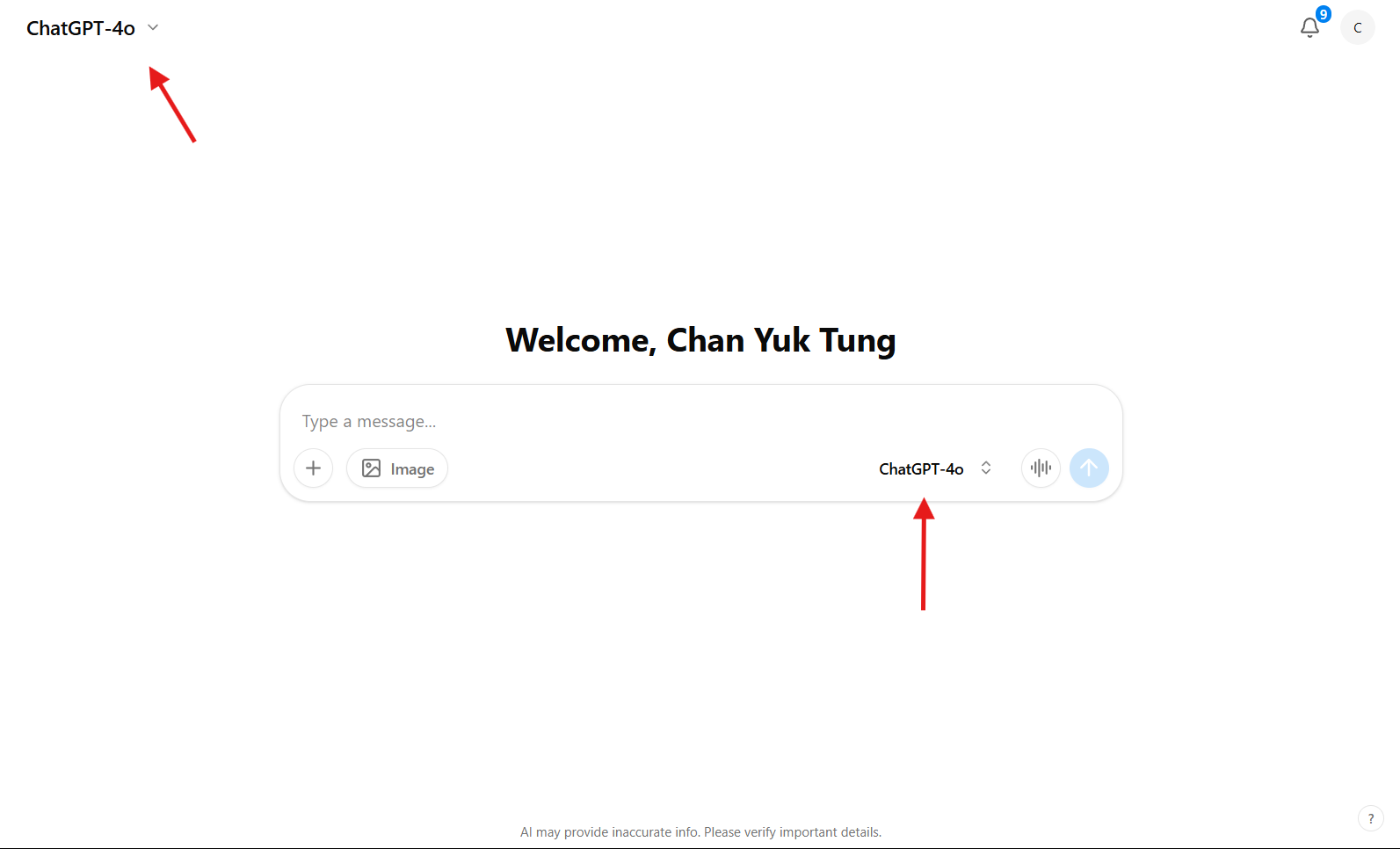
Step 3:
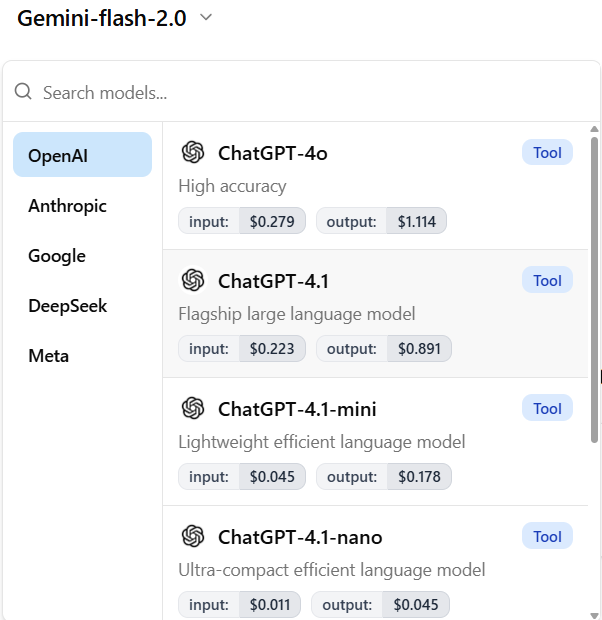
Way 1: If you select the top-left one, it will show you many model that you search or select from. The good thing is that, it also shows you the cost of selecting each model.
Way 2: If you select the model selection from chat box, it will only show you all the available model and you can search from them.

Step 4: Start your conversation! The AI will use the model you picked.
2. Change the Model in an Existing Chat
You can also switch models when you open a chat you've already started (even old conversations).
Step 1: Open any chat from your chat history (present or past).
Step 2: Look for the model selection option at the top or side of the chat window. Click it and pick a new model. It is the same as selecting model from the starting chat page.

Step 3: Continue your conversation. The AI will now use the new model for your next messages.
Tips
- If you're not sure which model to use, try a few and see which one gives you the best answers.
- You can switch models as many times as you like.
- Don't worry—switching models is safe and easy!
That's it! Now you know how to switch AI models in ZenseAI, whether you're starting a new chat or continuing an old one.
Last updated: October 22, 2025