How to Find and Use Chat History
If you're new to ZenseAI, don't worry! Here's a quick and easy guide to help you find your chat history and keep track of your conversations.
Step 1: Go to the Home Page
Go to the ZenseAI website and log in to your account.
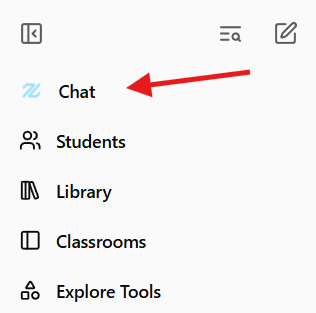
Step 2: Open the Chat Section
Look for the chat or conversation icon—usually on the left or top menu. Click it to open your chat area.
Step 3: View Your Chat History
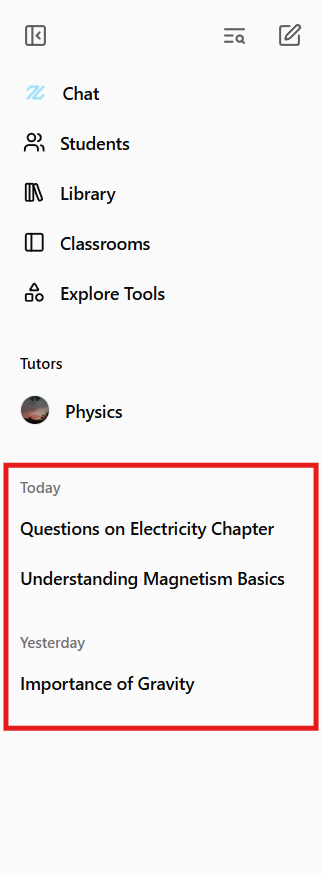
You'll see a list of your past conversations. Click on any chat to open and review it. You can scroll through messages, see AI responses, and continue chatting if you want.
Tips
- If you get lost, look for icons that look like speech bubbles or chat boxes.
- You can always return to the home page and try again.
- Don't be afraid to click around—nothing will break!
That's it! You're ready to find and use your chat history on ZenseAI.
Last updated: October 22, 2025